What is an HMI? The Ultimate Guide to Human-Machine Interfaces
What is an HMI? (HMI Meaning)
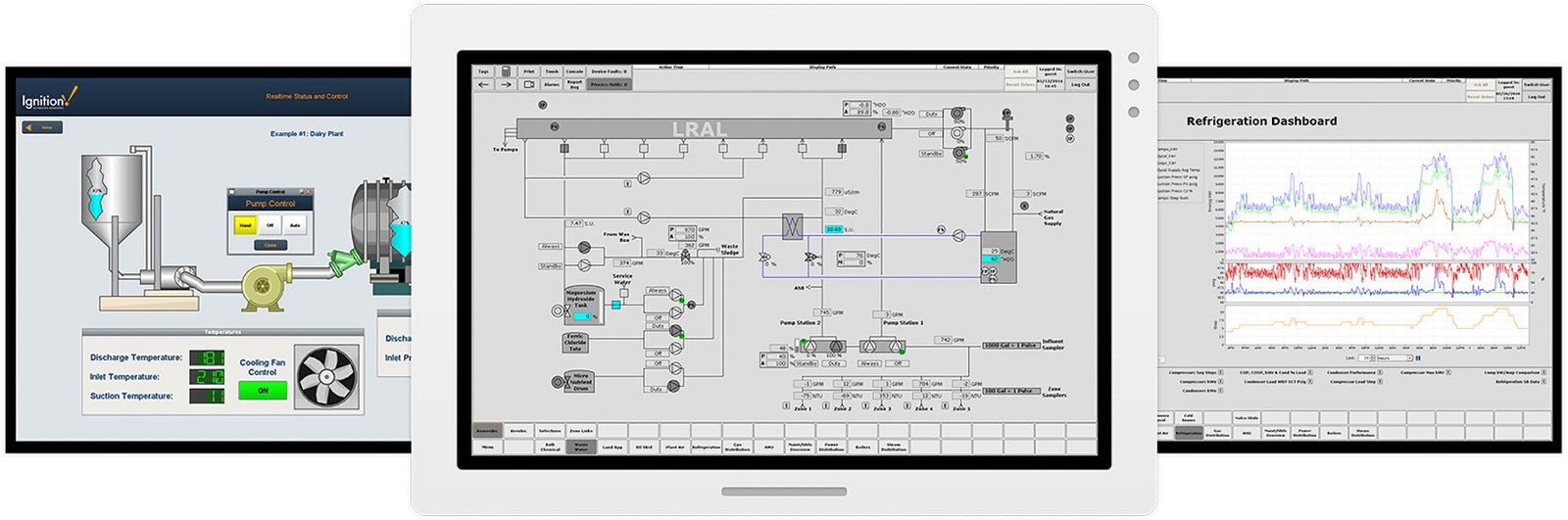
A Human-Machine Interface (HMI) is a user interface or dashboard that connects a person to a machine, system, or device. Most commonly used in industrial processes, an HMI allows operators to visually monitor machinery, track production metrics, and input commands to control the hardware.
How Does it Work?
Think of an HMI as the "screen" on your smart appliance, but on a massive, industrial scale. It acts as a translator between complex machine code and human understanding.
The Hardware: Typically consists of a digitized screen (often touch-sensitive), buttons, and internal processors.
The Software: Integrates directly with Programmable Logic Controllers (PLCs) and sensors on the factory floor to receive real-time data, translating it into visual graphics, charts, and alarms.
Note: While all HMIs are user interfaces, not all user interfaces are HMIs. In industrial settings, the term specifically refers to screens designed to control and monitor complex industrial automation systems.
Key Benefits of Implementing an Industrial HMI
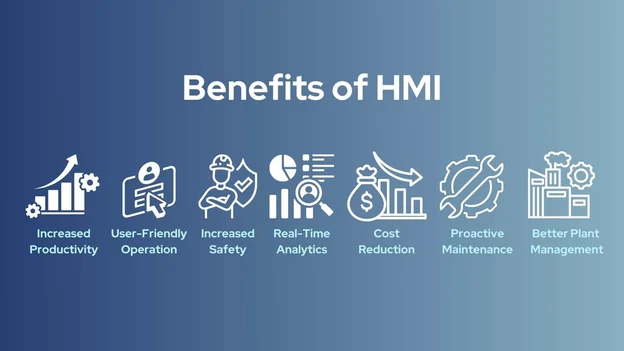
Upgrading to an advanced industrial HMI provides organizations with a massive competitive edge. Here is why modern facilities rely on them so heavily:
Enhanced Visibility: Operators get a centralized, real-time view of the entire production line. Instead of walking around to check individual gauges, they can view everything from a single console.
Increased Operational Efficiency: Because HMIs streamline data access, operators can make faster, more informed decisions, drastically reducing production bottlenecks.
Reduced Downtime: Advanced HMIs feature predictive alerting systems. If a machine begins to overheat or deviate from standard performance, the HMI flags it immediately, allowing for preventative maintenance before a total breakdown occurs.
Improved Safety: By utilizing an HMI, workers can control potentially hazardous machinery from a safe distance, minimizing workplace injuries.
Data Logging and Analytics: Modern interfaces don't just show what’s happening now; they store historical data. This allows management to analyze long-term trends, optimize workflows, and maintain compliance standards.
Real-World HMI Applications and Industrial Uses
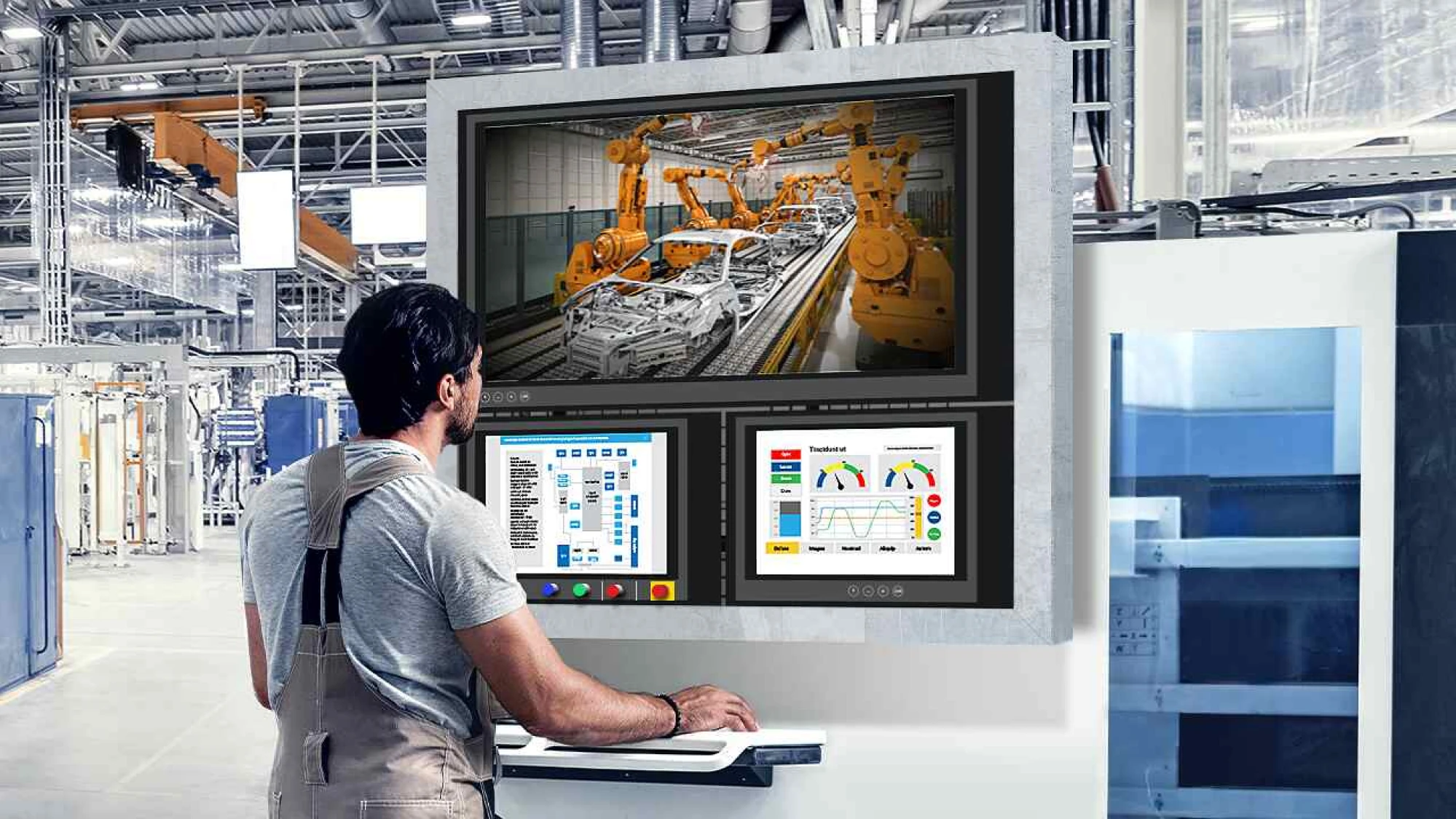
Because of their versatility, HMI applications span across almost every sector that requires automation and heavy machinery. Here are some of the most prominent industrial uses:
Manufacturing & Assembly Lines
From automotive manufacturing to electronics assembly, HMIs regulate robot arms, conveyor belt speeds, and quality control sensors. Operators use the interface to switch between different production recipes seamlessly.
Energy, Oil & Gas
In oil refineries and power plants, monitoring pressure, flow rates, and temperatures is critical to preventing catastrophic failures. HMIs give engineers remote control over vast networks of pipelines and valves.
Water and Wastewater Management
Water treatment facilities utilize HMIs connected to SCADA (Supervisory Control and Data Acquisition) systems to monitor water levels, chemical treatment ratios, and filtration pump statuses.
Food & Beverage Production
Strict regulatory standards require precise monitoring of cooking temperatures, mixing ratios, and packaging speeds. HMIs ensure consistency and compliance while tracking batches for safety audits.
Pharmaceuticals
In drug manufacturing, even a microscopic deviation in chemical formulation can ruin a batch. HMIs provide the strict environmental monitoring (like cleanroom pressure and temperature control) required in pharma.
Key Components and Architecture of an HMI System
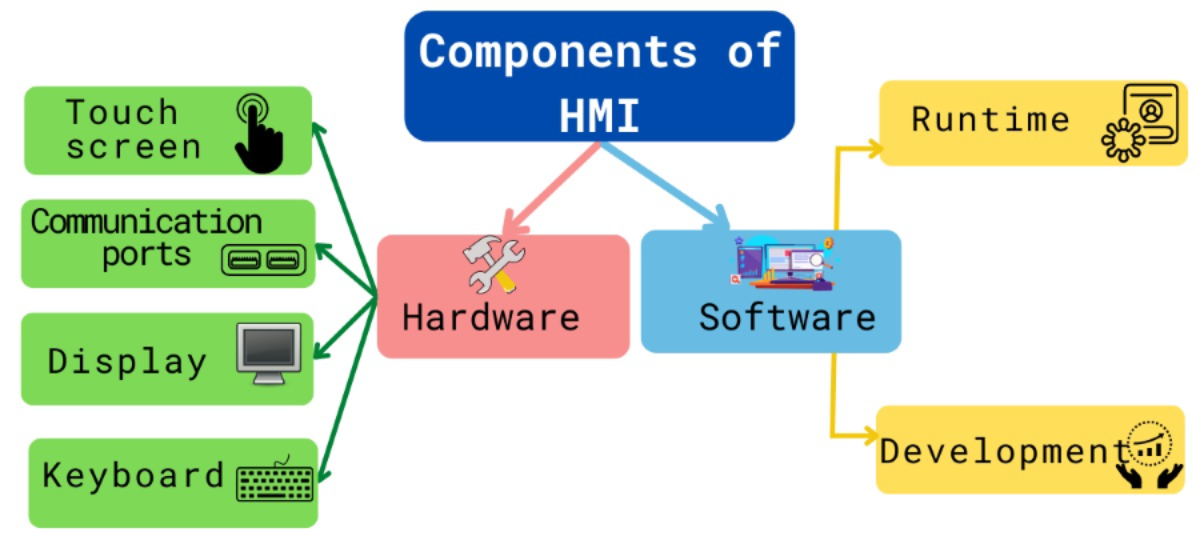
To fully appreciate how an industrial HMI functions, it helps to look under the hood. An HMI doesn't operate in a vacuum; it is the visual layer of a multi-tiered automation architecture.
A standard HMI system consists of three main pillars:
[ Human Operator ] ◄──► [ HMI (Software/Screen) ] ◄──► [ PLC / Controllers ] ◄──► [ Industrial Machinery ]
The Hardware Console: This is the physical device mounted on a machine, a control panel, or a handheld tablet. Modern industrial environments favor ruggedized touchscreens designed to withstand extreme temperatures, dust, moisture, and vibrations.
The Software Application: This is where the magic happens. Software allows engineers to design the graphical user interface (GUI), program alarms, create data trends, and configure user access levels (e.g., Operator vs. Administrator).
The Communications Protocol: HMIs must speak the same language as the machines they control. They use industrial communication protocols—such as Modbus, Ethernet/IP, Profinet, or OPC UA—to exchange rapid-fire data with PLCs and RTUs (Remote Terminal Units).
HMI vs. SCADA: What’s the Difference?
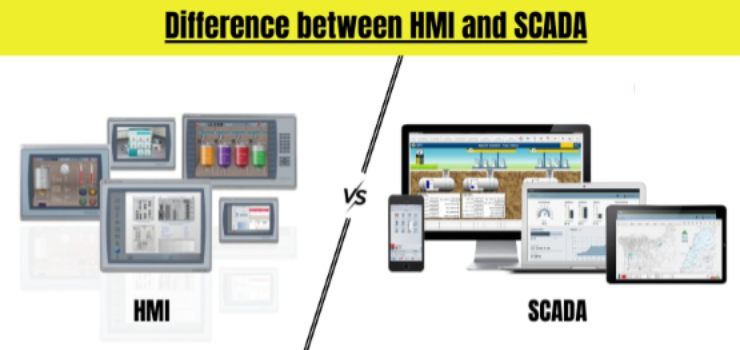
An HMI (Human-Machine Interface) is a localized solution designed to control a specific machine, single production line, or isolated work cell. Structurally, it consists of a single physical display screen with built-in user interface software that connects directly to a nearby Programmable Logic Controller (PLC). Its primary function is to give the immediate floor operator real-time visual feedback and precise, tactile machine control. A classic example of an HMI is the touchscreen mounted directly on a industrial bottling machine, which an operator stands in front of to manually adjust conveyor speeds or check immediate system status.
Understanding SCADA (Supervisory Control and Data Acquisition)
In contrast, SCADA (Supervisory Control and Data Acquisition) is an overarching, large-scale system that monitors and controls entire manufacturing plants or geographically dispersed assets spanning miles. Rather than a single device, SCADA is a complex network that integrates multiple distributed HMIs, central software servers, field sensors, PLCs, and dedicated databases. Its primary purpose goes beyond immediate machine adjustments; it focuses on widespread data collection, long-term historical data logging, and high-level supervisory management. A common example of a SCADA system is a centralized municipal control room that monitors and regulates an entire city's water distribution network, tracking every pump station and water tank simultaneously from miles away.
Emerging Trends Shaper the Future of HMI
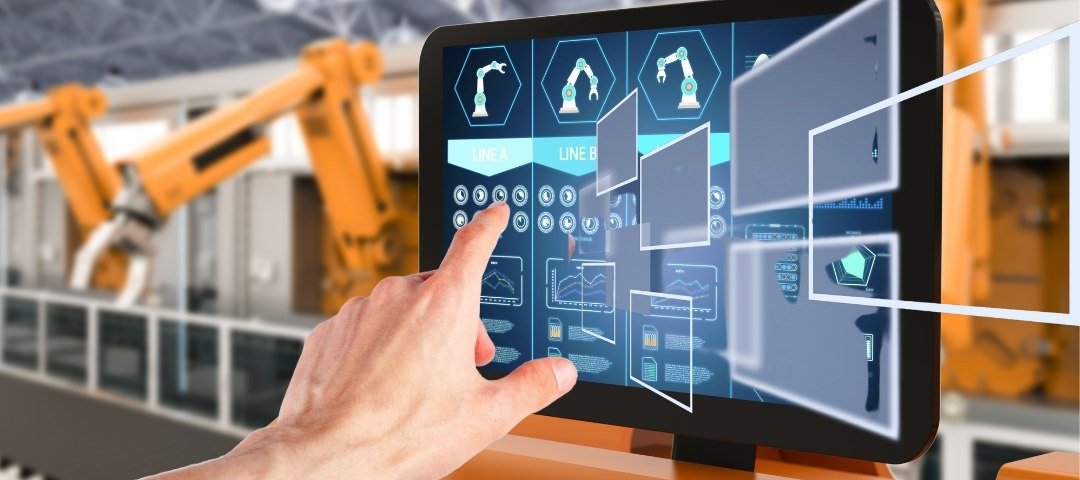
As we progress through the late 2020s, HMI technology is rapidly evolving beyond stationary, grease-smudged screens on a factory floor. The integration of Industry 4.0 has introduced several transformative trends:
1. Web-Based and Cloud HMIs (HTML5)
Traditional HMIs required proprietary software installations on specific hardware. Modern HMIs utilize HTML5, allowing operators and managers to securely access the interface from any web browser, smartphone, or tablet. This enables remote troubleshooting from halfway across the world.
2. Edge Computing Integration
By processing data directly at the "edge" (on the HMI device itself) rather than sending everything to a centralized cloud server, HMIs can analyze data and trigger safety protocols with zero latency.
3. High-Performance HMI Design
Older HMIs were famous for flashing, neon-colored screens filled with chaotic graphics. Modern design standards favor High-Performance HMI philosophy, which uses muted, grayscale color schemes. Bright colors are strictly reserved for alarms and anomalies, allowing operators to instantly spot issues without cognitive overload.
4. AR and Voice-Assisted Interfaces
Augmented Reality (AR) is beginning to merge with HMI technology. Maintenance technicians wearing smart glasses can look at a physical machine and see a digital overlay of its HMI data, wiring diagrams, and real-time internal temperatures floating right in front of their eyes.
How to Choose the Right HMI for Your Industrial Needs
Selecting the correct industrial HMI involves balancing environmental factors, software compatibility, and future scalability. Because an HMI serves as the primary touchpoint for your operators, making the wrong choice can lead to frequent hardware failures or operational inefficiencies.
When evaluating options, consider the following key factors:
Hardware Durability & Environment
The factory floor is a harsh environment. Your HMI hardware needs to match the specific conditions of your facility:
Ingress Protection (IP) Ratings: If your equipment undergoes frequent high-pressure washdowns (common in food, beverage, and pharma), look for screens rated IP65 or IP69K.
Temperature and Vibration: Heavy machinery creates constant vibrations and heat. Ensure the HMI has a fanless cooling design and solid-state storage to prevent mechanical failures.
Sunlight Readability: For outdoor HMI applications—such as oil fields, agricultural machinery, or pumping stations—high-brightness, anti-glare screens are mandatory.
Connectivity and Protocol Support
An HMI is only as good as its ability to communicate with your existing hardware. Ensure the interface natively supports the protocols used by your PLCs, Variable Frequency Drives (VFDs), and sensors. Look for multi-port options featuring:
Ethernet (RJ45) ports for modern, high-speed networks.
Serial ports (RS-232/RS-485) for legacy industrial machinery.
Built-in drivers for major automation brands (like Siemens, Schneider Electric, ABB, or Rockwell).
Screen Size and Resolution
Screen sizes typically range from compact 4-inch keypads to massive 22-inch widescreen displays.
Small Screens (4" to 7"): Best for simple, localized tasks like adjusting a single conveyor speed or displaying basic temperature readings.
Large Screens (10" to 15"+): Essential for complex automation lines where operators need to monitor detailed system topology, P&ID diagrams, and multiple data trends simultaneously.